
A few years ago, making a video meant booking people and gear. Now a single person can generate a decent clip before lunch. That sounds like good news, and it is. But it has created a new problem that nobody warned creative teams about: there are too many good tools, and no obvious way to fit them together.
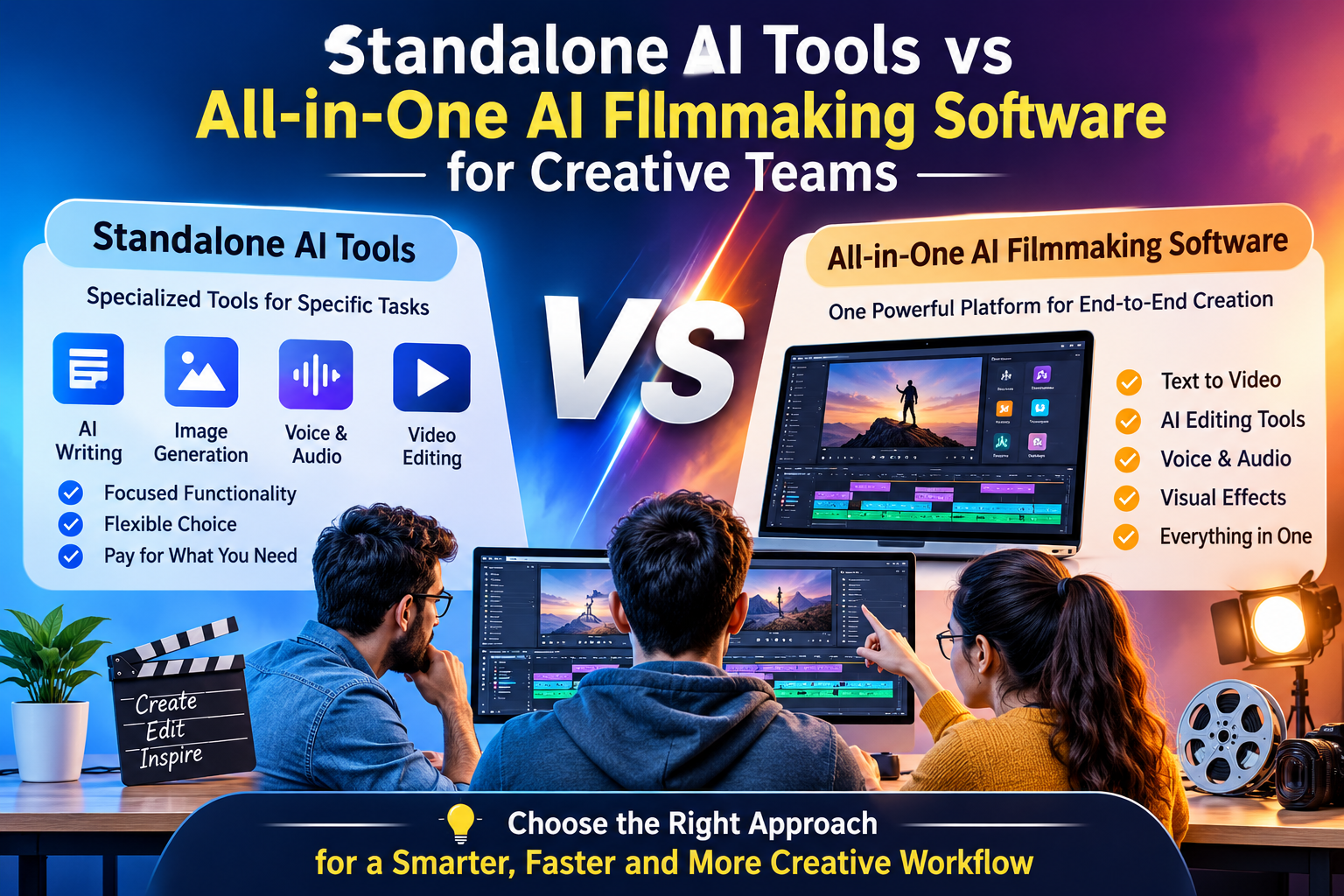
So teams end up choosing between two paths. They can pick the best standalone tool for every job, or they can move to one all-in-one platform. Both have real strengths, and both have costs that only show up after a few weeks. Here’s a straight look at each.
What standalone AI tools do well
Standalone tools are built to do one thing properly. An image generator spends all its effort on images. A voice tool cares only about voice. Because the makers aren’t spreading themselves thin, these tools often get new abilities first, and the top ones can be very good.
There’s also freedom. You can swap one tool for another when something better comes along, without touching the rest of your setup. If your team has a specialist, say an editor who knows exactly how to get a certain look from a certain model, standalone tools let that person work the way they like.
And for small jobs, they’re hard to beat. If you only need a quick voiceover or one background image, opening a single focused tool is faster than learning a whole platform.
Where standalone tools start to hurt
The trouble isn’t the tools themselves. It’s the gaps between them.
Every time a file moves from one app to the next, something can go wrong. A clip gets exported at the wrong size. A character looks slightly different once it’s recreated in the video tool. A prompt that worked in one model behaves oddly in another. These are small things, but a film is made of hundreds of small things.
Teams also run into a memory problem. The reasons behind each choice, like which reference picture was used or why the client preferred take three, usually live in someone’s head or a chat thread. When that person is busy or leaves, the knowledge goes with them.
Then there’s admin. Separate logins, separate credit balances, separate bills. It becomes hard to say what a single project cost, and harder to stop someone burning credits on tests that nobody asked for.
What all-in-one AI filmmaking software tries to fix
All-in-one platforms take the opposite view. Instead of many specialist tools, you get one environment where script, image, video, sound and delivery all happen together. The promise is fewer handoffs, shared assets and one place to see the state of a project.
When you evaluate ai filmmaking software of this kind, the useful question is not “does it have every feature?” but “does it remove the gaps that cost us time?” A platform with a hundred features and weak consistency tools will still leave you fixing faces by hand.
The honest downside is flexibility. You work within what the platform offers, and if you need something unusual, you may have to wait for it or work around it. You also depend on one provider’s pricing and plans, which is a real consideration for any team.
A closer look at one example
LemonPeel is one platform built around the all-in-one idea, so it’s a useful example of what the category looks like in practice. It brings text, image, video and sound onto a single canvas, and gives access to a range of video models, including Seedance 2.5, Kling 4, Hailou 3 Max and Wan 3.0. That matters because the main reason teams collect standalone tools is to get different models, and here you keep that range without leaving the project.
The studios are split by type of work. Marketing Studio is aimed at brand content in many ratios, Film Studio is for directing scene by scene, and there are separate spaces for images, avatars, speech and music. On top of that sit features aimed at team use: Character Consistency to hold one face across a sequence, Brand Kit to lock logos, type and palette, an Asset Reference System to store and reuse assets, and Team Controls for members, credits and creative control.
For finishing, there’s Reframe & Resize for every ratio from one master, Translate & Lipsync and Subtitles in 100+ languages, Topaz Upscale, Edit Video for trimming and grading in place, and Camera Control for changing the angle of a shot. For audio, there are Speech, Clone Voice (which works from about ten seconds of input) and licence-free Music & SFX.
Why creative teams feel the difference more than solo creators
A solo creator can keep everything in their head, so standalone tools suit them fine. A team is different. Three people might touch the same ad in one day, and each needs to know what the others have done.
This is why ai filmmaking software for agencies and other creative teams is judged on different things than tools for individuals. It’s less about how pretty one clip looks and more about whether the third person to open the project can carry on without a long briefing. Shared libraries, permissions, saved workflows and clear records all matter here.
Repeat work is a big part of it too. Agencies and in-house teams often make the same kind of video every week for different products or clients. Features such as Flows, which let you chain steps once and reuse them, turn that repetition into a saved process instead of a fresh start each time. For teams with developers, a Flow API and MCP & CLI support let the platform connect to other systems, and there’s a newer Agent that takes a brief, chooses models and returns a cut. It’s new, so it’s sensible to try it on a low-risk job first.
Side by side, in plain terms
Think of it as a trade between range and ease.
With standalone tools, you get the widest choice and the freedom to swap anything, but you carry the work of connecting everything, keeping files straight and teaching newcomers.
With an all-in-one platform, you get a shorter setup, shared assets and simpler billing, but you accept the platform’s limits and its pricing.
Neither is a mistake. What matters is matching the choice to how your team really works. A team of two making a few videos a quarter has different needs from a team of twelve running campaigns for several clients at once.
A way to decide that doesn’t rely on guessing
Pick a video you’ve already finished and remake it in the setup you’re considering. Keep a note of four things: how many tools you opened, whether the characters and brand look stayed steady, how long the extra sizes took, and whether a colleague could change something small without asking you for help.
It’s also worth asking what happens if your most technical person is away for a week. If the answer is “everything stops,” your setup depends too much on one person, whichever route you take.
Many teams end up with a mix. They run most work in one platform and keep one or two standalone tools for special cases. That’s a perfectly reasonable place to land, as long as you chose it on purpose.
The short version
Standalone tools give you choice and depth. All-in-one platforms give you speed, shared structure and less admin. For small, occasional work, the first can be plenty. As a team grows and the work repeats, the time lost between tools starts to matter more than the strengths of any single one. Try both on a real project, count the hours and the headaches, and let that decide.
FAQs
What is the difference between standalone AI tools and all-in-one AI filmmaking software?
Standalone tools each do one job, such as images, video or voice, and you connect them yourself. All-in-one software puts script, images, video, sound and delivery in one workspace, so assets and settings carry across the project.
Is all-in-one AI filmmaking software better for agencies?
Often, yes, because agencies need shared asset libraries, brand controls, team permissions and repeatable workflows. A very small team with only occasional video work may still do fine with a few standalone tools.
What features should creative teams look for in AI filmmaking software?
Look for several video models, character consistency, a shared asset library, brand controls, team roles and credit limits, reusable workflows, and built-in resizing, subtitles and translation.